
Tools · MoSCoW Voting
Everything can't be
a Must Have.
MoSCoW Voting is a collaborative technique where the team categorizes every feature or requirement into Must Have, Should Have, Could Have, or Won't Have — forcing explicit priority trade-offs. Lincah runs it live: private categorization, simultaneous reveal, and a distribution the facilitator can act on.
Participants join with a display name and a 6-character code — no account required.
Four buckets, one forced decision per item. No item sits on the fence.
Roadmap review, without MoSCoW
Alex · Product Owner
Sam · Engineering Lead
Riko · Design
Mei · QA
Everything is critical when nobody has to say so out loud, privately, at the same time.
Why it exists
Scope creep starts as polite agreement.
MoSCoW Voting surfaces disagreement about what is truly critical vs. nice-to-have before it becomes a costly scope-creep decision. Four categories, one forced choice per item — there is no bucket for "important, sort of."
Simultaneous, private reveal is the mechanism: nobody softens their vote to match the Product Owner's tone, so the spread you see on the board is the disagreement your team actually has — the exact conversation worth having before the sprint starts, not after.
The ritual
One item, four buckets, one decision.
Each participant independently categorizes all items. Results are revealed simultaneously. Try a round on the board to the right; it behaves like the real thing.
- 01
Load the backlog
The facilitator queues every feature or requirement up for a decision — one item at a time, or the whole list at once.
- 02
Set the scope context
Agree what "Must Have" means for this vote — v1.0? This quarter? The category is meaningless without it.
- 03
Categorize independently
Every participant sorts each item into Must, Should, Could, or Won’t Have — privately, on their own device.
- 04
Reveal simultaneously
All categorizations flip at once. The spread you see is real disagreement, not groupthink.
- 05
Discuss the spread
The facilitator leads discussion on items with high disagreement — that spread is the signal, not noise.
- 06
Record the decision
The facilitator records the team’s final call for each item and moves to the next.
A scripted round — the real one syncs live across every device in the room.
In the room
Three screens. One board.
The facilitator drives the backlog, participants sort from their own device, and the projector shows the spread to the whole room — all in sync, all in real time.
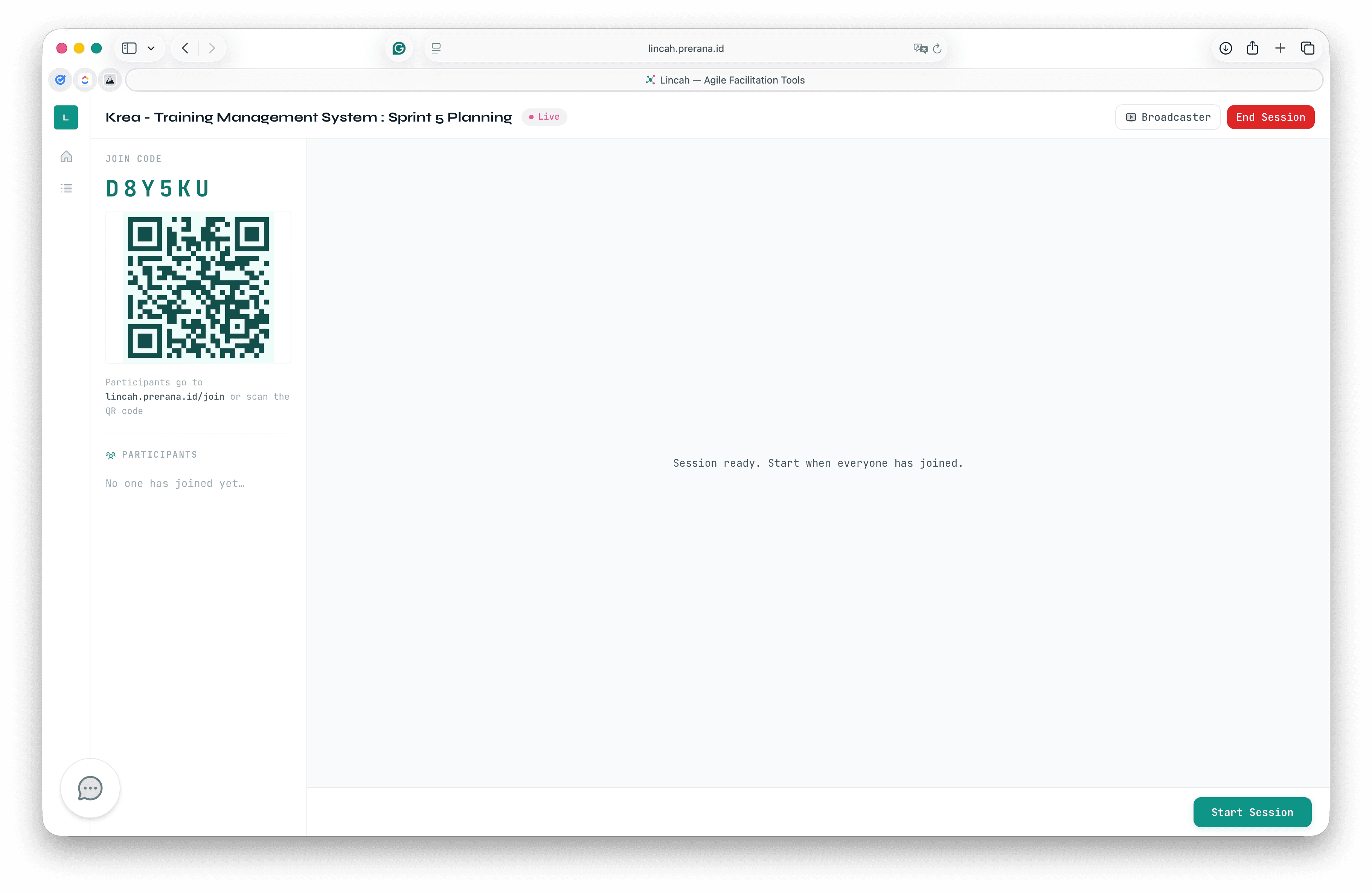
Facilitator
You hold the backlog.
Queue every item, watch categorizations land in real time, and reveal the board the moment everyone is in.
Participant
They just tap a bucket.
A display name and a 6-character code. No account, no install — it works on the phone already in their hand.
Item
Two-factor authentication
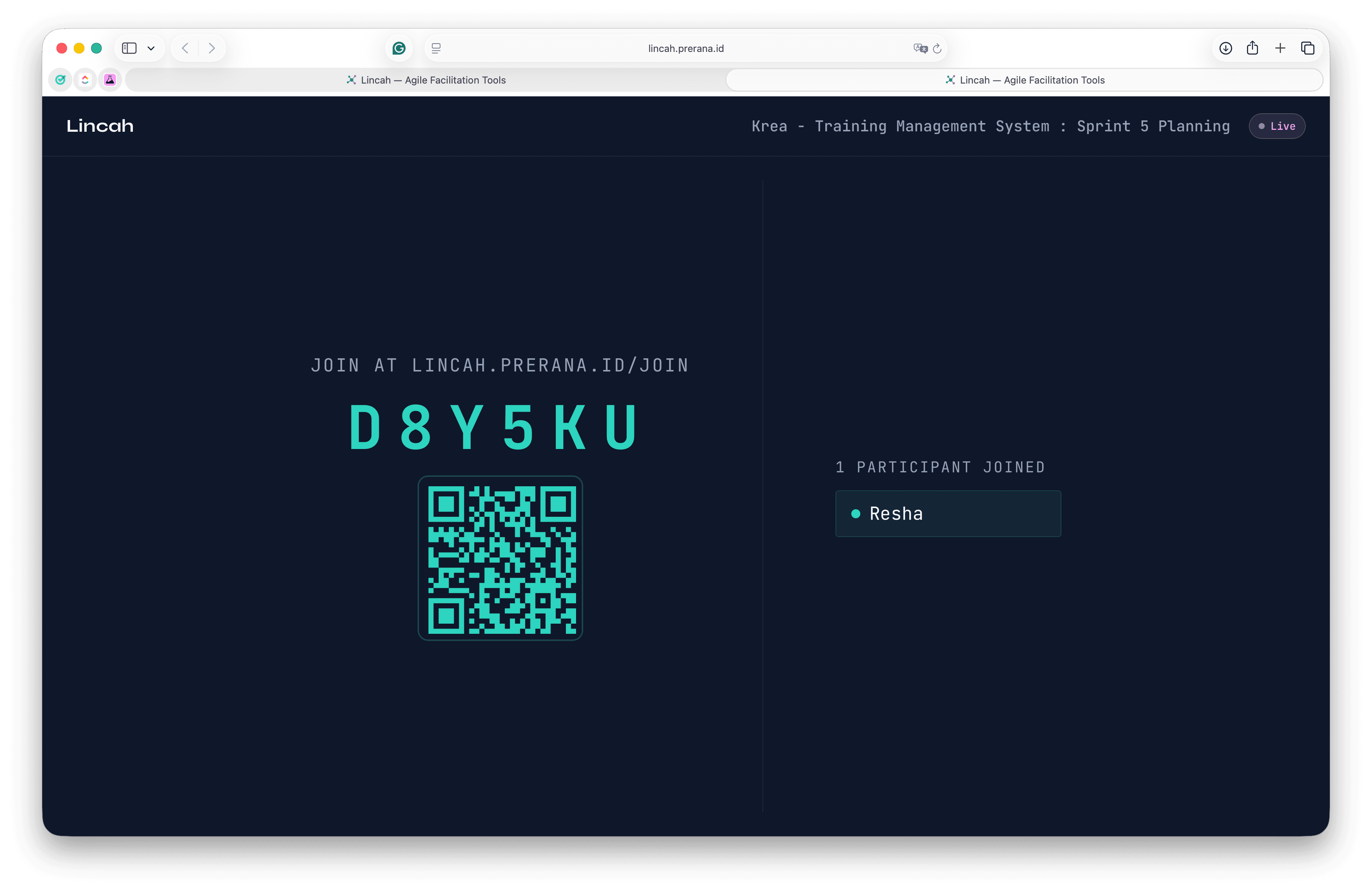
Broadcaster
The board, on the wall.
A read-only view built for the projector, so the distribution lands in front of everyone at once.
The spec
When to bring the board out.
- What
- The team categorizes every feature or requirement into Must Have, Should Have, Could Have, or Won’t Have — forcing explicit priority trade-offs.
- When
- Sprint planning, product roadmap workshops, or any session where the team needs to agree on scope and delivery priority.
- Who
- Product Owners, Stakeholders, the Development Team, and the Scrum Master as facilitator.
- Categories
- Must Have, Should Have, Could Have, Won’t Have — four buckets, one forced decision per item.
- Joining
- Participants enter a display name and a 6-character code. No account, no install.
- Plans
- Free and Pro plans available.
Team capacity check
Must Have sits at 58% — under the 60% ceiling. Cross that line and it's time to ask which "Musts" are actually "Shoulds."
Board talk
Field notes from facilitators.
The tool runs the mechanics. These four habits are what make the priorities worth keeping.
Fix the scope context before the first vote.
Agree on the release scope context before voting — “for v1.0” vs. “for Q3” changes every vote. Without shared context, the categories mean nothing.
Must Have caps at 60% of capacity.
Must Have should never exceed 60% of the team’s capacity. If it does, some “Musts” are actually “Shoulds” — surface that conversation explicitly.
Chase the spread, not the consensus.
Items with high spread are the most valuable ones to discuss, not skip. The disagreement is the signal.
One lone "Won’t Have" deserves a question.
If only one person marks an item as “Won’t Have,” ask them why before recording. That lone outlier often has critical feasibility or dependency context the rest of the team is missing.
Force the trade-off.
Free and Pro plans. Your team joins with a display name and a 6-character code — nothing to install, no accounts for participants, and the reveal lands all at once.